Database — GeoServer configuration schema
The TimescaleDB database (PostgreSQL + timescaledb + postgis) is a
required, pre-existing, shared and independent service: other services use
it and another team operates it. This guide describes what GeoServer installs
into it and how, without ever touching the rest of the database.
flowchart LR
    OPS[Database operator] -- "provides" --> SA[(db-admin Secret)]
    SA --> JOB[init-geoserver-db Job]
    SG[(geoserver-db Secret)] --> JOB
    JOB -- "creates / refreshes" --> DB[(Shared TimescaleDB<br/>geoserver schema · PostGIS · search_path)]
    SG --> GS[GeoServer ×N<br/>JNDI jdbc/geoserver]
    GS --> DB
    DEC[Decoding service] -- "owns" --> DS[(data schema)]
    SR[(meteo-reader Secret)] --> JOB2[grant-reader Job]
    JOB2 -- "read-only" --> DS
    SR --> GS
GS -. "JNDI jdbc/meteo (read)" .-> DSRelated decision: ADR-0004.
Artifacts: poc/01-database/ (scripts, manifests, README).
Prerequisites
- A PostgreSQL 14+ database reachable from the cluster, with an admin
account provided by the operator. If PostGIS is not yet installed in the
database, this account must be a superuser — otherwise ask the operator to
run
CREATE EXTENSION postgis SCHEMA postgis;. kubectlon the target namespace; thepostgres:17-alpineimage reachable (it is only used to providepsql).
To test without an existing database, a test bench is provided
(k8s/test-timescaledb.yaml, k8s/test-demo-schema.yaml) — it is not a
reference deployment.
What the initialization script does
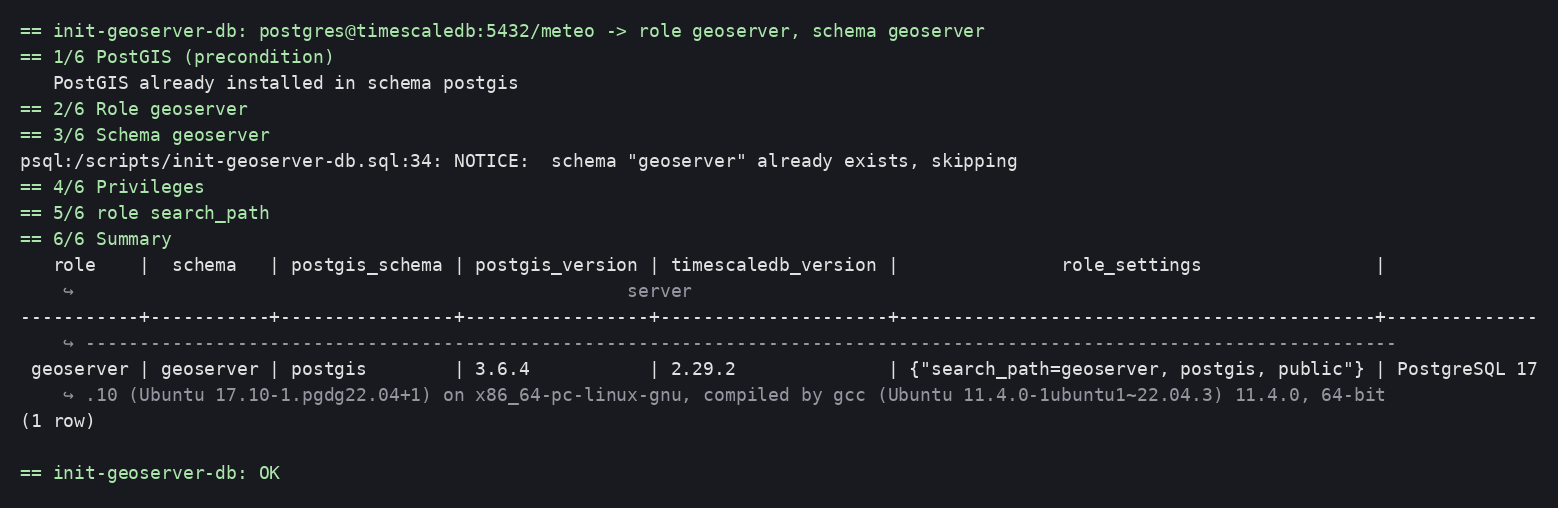
scripts/init-geoserver-db.sql, driven by init-geoserver-db.sh, in six
idempotent steps. The PostGIS precondition is checked first: on failure,
nothing has been created.
| # | Action | Detail |
|---|---|---|
| 1 | PostGIS | Detects the schema where the extension is already installed (shared database: often public). Absent → installation into postgis if superuser, otherwise explicit failure (exit code 3) |
| 2 | geoserver role |
CREATE ROLE if absent, then ALTER ROLE … PASSWORD on every run (rotation = re-run); NOSUPERUSER NOCREATEDB NOCREATEROLE |
| 3 | geoserver schema |
CREATE SCHEMA IF NOT EXISTS … AUTHORIZATION geoserver — the JDBCConfig / JDBCStore / WPS JDBC plugins will create their tables there on GeoServer's first startup |
| 4 | Privileges | USAGE on the PostGIS schema and on public |
| 5 | search_path |
ALTER ROLE geoserver SET search_path = geoserver, <PostGIS schema>, public — set on the role, hence effective for every connection, whatever the JDBC URL |
| 6 | Summary | Role, schema, PostGIS schema and version, TimescaleDB version, role settings |
Everything is parameterized through environment variables (table in the
README); no value is hard-coded. The SQL uses \gexec with
format('%I' / '%L') — no shell interpolation, hence no injection through the
names.
No silent fallback
PostGIS missing without superuser, missing variable, non-existent data
schema: the script stops with a message and a dedicated exit code
(2, 3, 4). A Job in Error state is information, not noise.
Two psql pitfalls hit while prototyping
\gseton a query that returns no rows is an error underON_ERROR_STOP. Wrap the query in a scalar subquery (SELECT (SELECT …) AS var): it always returns one row, andNULLleaves the variable undefined (:{?var}).ALTER ROLE … SET search_pathonly applies at connection time. After aSET ROLEin a session opened by another account, thesearch_pathremains that of the initial account — hence a puzzlingtype "geometry" does not exist. Issue an explicitSET search_path.
Multiple data sources
GeoServer uses one JNDI resource per (URL, account) pair:
| Resource | Account | Schema | Privileges | Secret |
|---|---|---|---|---|
jdbc/geoserver |
geoserver |
geoserver |
read / write (owner) | geoserver-db |
jdbc/meteo (example) |
geoserver_meteo_reader |
decoding service's schema | read-only | meteo-reader |
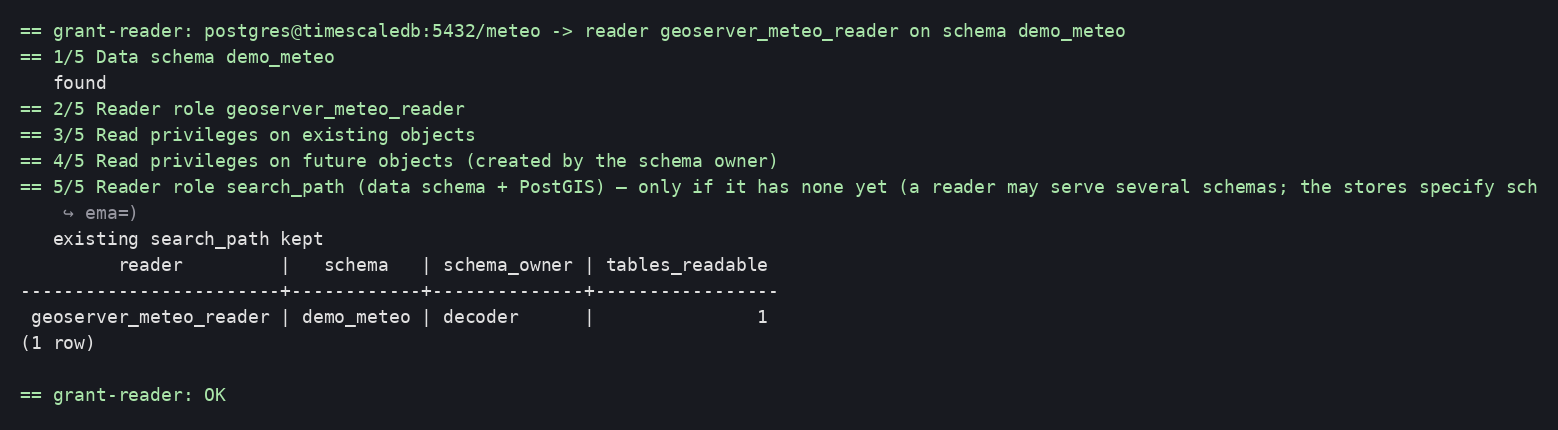
The grant-reader.sql script creates the reader role on an existing
schema: USAGE, SELECT on the tables and sequences present, and
ALTER DEFAULT PRIVILEGES FOR ROLE <owner> for future tables.
DEFAULT PRIVILEGES: classic pitfall
Default privileges only apply to objects created by the specified role
(FOR ROLE). The script reads the schema owner and uses it; it must
therefore be run by a superuser or by that owner. If the decoding service
creates its tables with another role, re-run grant-reader (the
GRANT … ON ALL TABLES statements catch up on existing objects).
The order between the decoding service and GeoServer is irrelevant: if the decoder installs PostGIS first, the GeoServer init detects it; otherwise the init installs it and the decoder finds it. Both paths were exercised on the test bench.
The declaration of the JNDI resources on the Tomcat side is covered in guide 2.
Steps
1. Test bench (optional)
K="kubectl -n meteo-gis"
kubectl apply -f k8s/namespace.yaml -f k8s/test-timescaledb.yaml
$K rollout status statefulset/timescaledb --timeout=300s
kubectl apply -f k8s/test-demo-schema.yaml
$K wait --for=condition=complete job/test-demo-schema --timeout=120s
The timescaledb-ha image initializes then restarts the server on first
launch: pg_isready returns true in between. Wait for a real, stable query
(SELECT 1) before launching the Jobs.
2. Secrets
Copy the k8s/secret-*.example.yaml templates, replace the changeme-*
values, apply. The db-admin Secret is referenced only by the Jobs;
geoserver-db and meteo-reader will also be referenced by GeoServer.
3. Scripts and Jobs
kubectl apply -f k8s/configmap-scripts.yaml
kubectl apply -f k8s/job-init-geoserver-db.yaml
$K wait --for=condition=complete job/init-geoserver-db --timeout=120s
$K logs job/init-geoserver-db
kubectl apply -f k8s/job-grant-reader.yaml
$K wait --for=condition=complete job/grant-meteo-reader --timeout=120s
$K logs job/grant-meteo-reader
If the data schema does not exist yet (the producer service has not run), the Job fails explicitly (exit code 4):

4. Integration into the deployment
- Helm: annotate the Job with
helm.sh/hook: pre-install,pre-upgradeandhelm.sh/hook-delete-policy: before-hook-creation; it runs before the GeoServer Deployment on every release. - ArgoCD:
argocd.argoproj.io/hook: PreSync. - Password rotation: update the Secret, re-run the Job, restart GeoServer (the JNDI pool reads the Secret at startup — sub-project 2).
Verification
From an ephemeral psql pod (replace host, database and password):
kubectl -n meteo-gis run psql-check --rm -i --restart=Never --image=postgres:17-alpine -- \
  sh -c 'PGPASSWORD=<geoserver> psql -h <host> -U geoserver -d <database> \
    -c "SHOW search_path" -c "SELECT postgis_full_version()" \
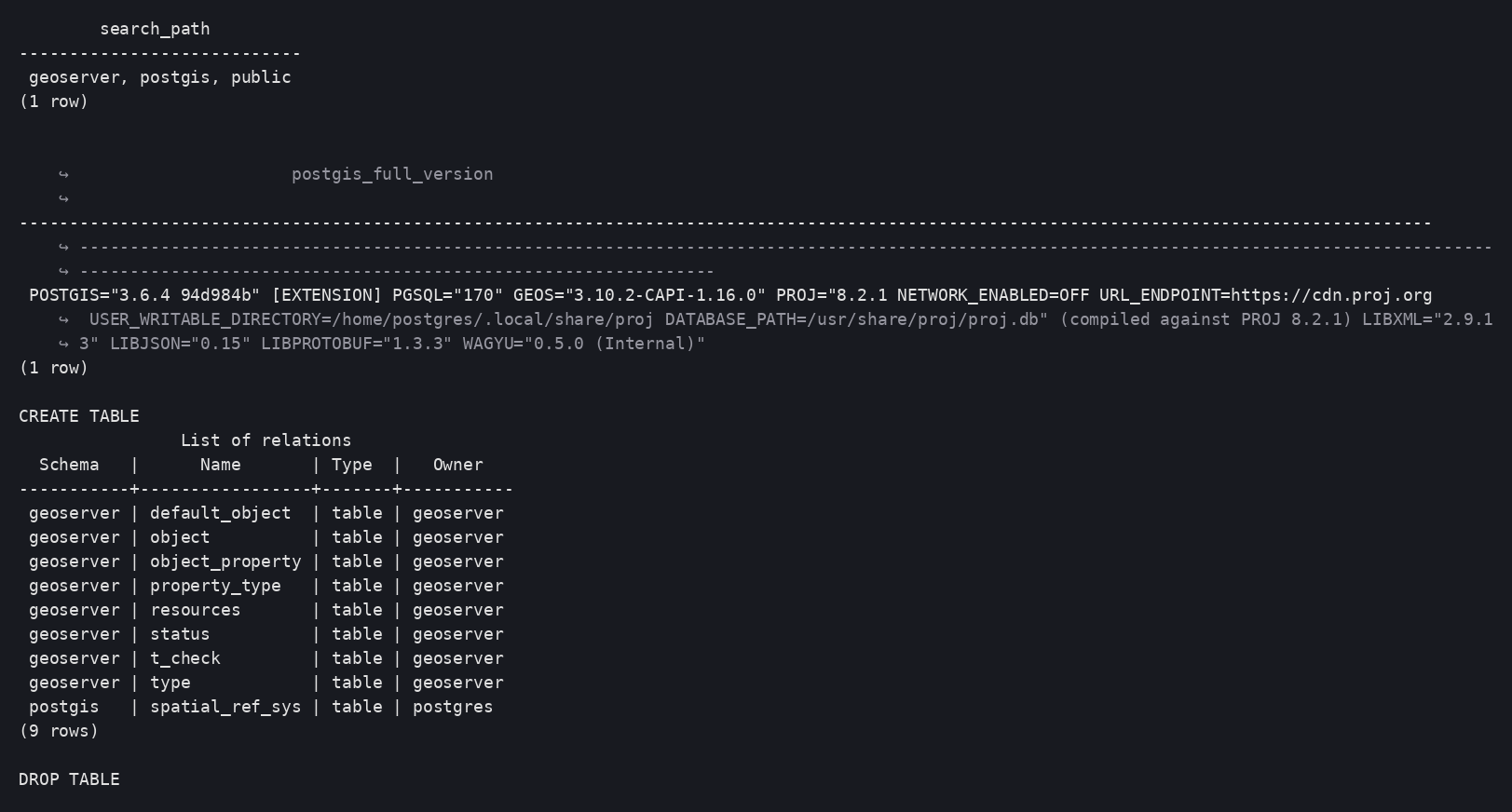
    -c "CREATE TABLE t_check (id int, g geometry(Point,4326))" -c "\dt" -c "DROP TABLE t_check"'
Expected: search_path = geoserver, postgis, public (or the actual PostGIS
schema), PostGIS version displayed without a schema prefix, table
t_check listed in geoserver.
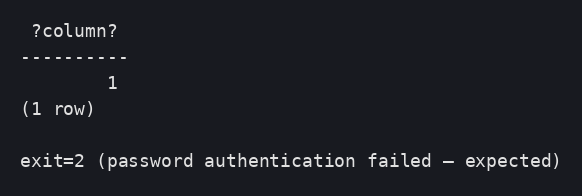
Wrong password → connection refused (psql exit code 2):
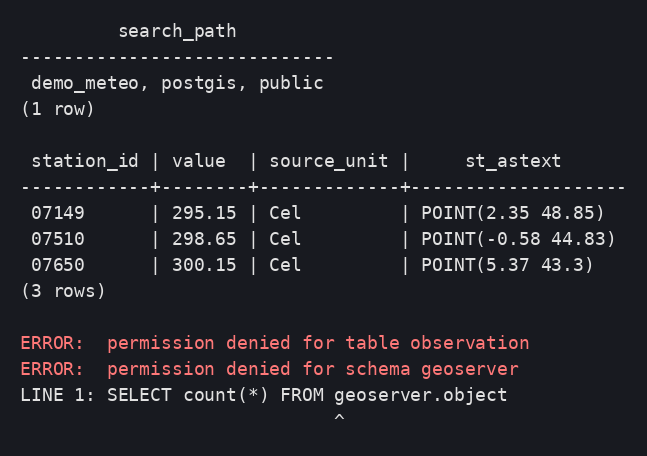
Reader role: read OK, write refused, geoserver schema inaccessible:
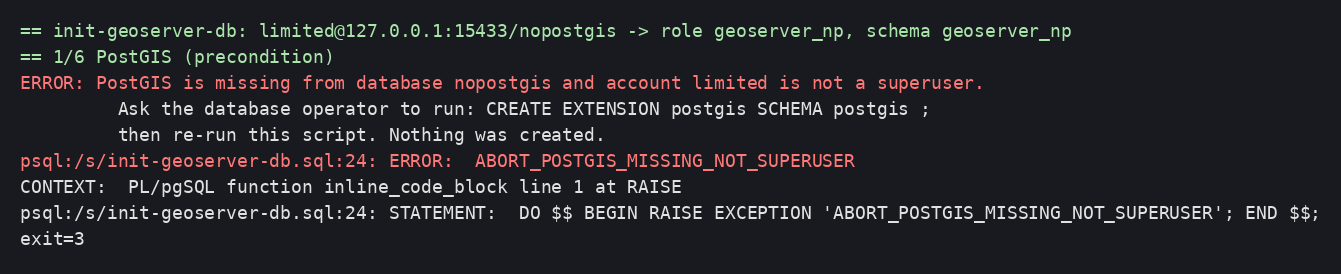
Expected error case — PostGIS missing and non-superuser account: failure before any creation, exit code 3:
Idempotence: re-run the Job (kubectl delete job … && kubectl apply …) →
Completed, identical summary ("PostGIS already installed").
Cleaning up the test bench
kubectl delete namespace meteo-gis